Raspberry Pi Zero 2 (BCM2710A1/RP3A0) alternatives
A hands-on comparison of Allwinner, Rockchip, TI, ST, and NXP SoCs as Raspberry Pi Zero 2 alternatives, weighing price, documentation quality, peripherals, and performance for my next DIY SBC build.
15.9.2026
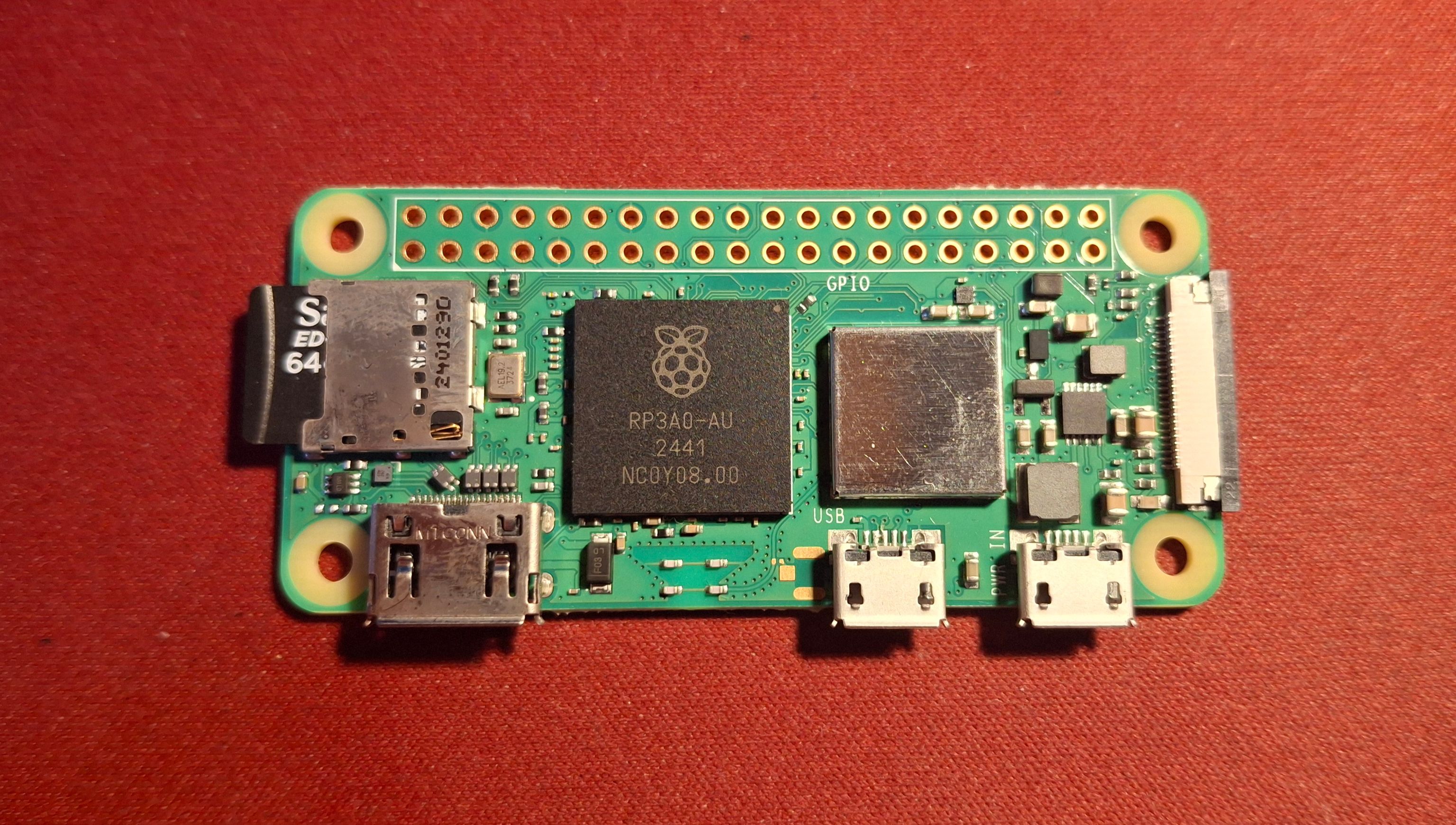
Raspberry pi 2 zero
Have you ever needed a more polished project using something like Raspberry pi zero 2 without finding any easy alternatives? I personally have. There is always a way to buy some extension HAT or some adapter, but the HATs are always overpriced and the usb dongles look bad and are sketchy.
Every board has its cons/pros. Raspberry pi zero has a camera adapter, but has no USB A, ethernet and is powered using usb micro.
The main solution would be to build your own “Raspberry pi zero”, but that chip is purpose-built by Broadcom for the Raspberry Pi company and its documentation is not public.
The only other way then is to look around for some other alternatives to the chip and find out which one to use.
The Rockchip candidates below (RK3528A, RK3566, RK3562) are just the three that actually fit this board’s size/price class. Rockchip alone makes a lot more of these than that. If you want the full lineup with release years and where each family fits, I wrote that up separately in Rockchip’s SoC lineup.
| SoC | Cores | Peripherals | Camera / display | RAM | CPU perf | Docs openness | Mouser | LCSC |
|---|---|---|---|---|---|---|---|---|
| Raspberry Pi Zero 2 W | Quad A53 | U2*;–;-;– | CSI-2 | 512MB LPDDR2 | 153* | Closed | 377 Kč @1 | Not available now |
| Allwinner H3 | Quad A7 | U2;–;E1;– | DVP CSI only | up to 1GB DDR3 | No published score | Mirrored, EN | Not stocked | 181 Kč @1 107 Kč @119 |
| Allwinner H616 | Quad A53 | U2;–;E1;– | None | up to 4GB | 660* | Mirrored, EN | Not stocked | 204 Kč @1 140 Kč @119 |
| Allwinner H618 | Quad A53 | U2;–;E1;– | None | up to 4GB | 660 | Mirrored, EN | Not stocked | 0 stock (JLCPCB assembly-only) |
| Allwinner V3s | 1× A7 (single-core) | U2;–;E100;– | 1–2 lane CSI | 64MB (in-package) | No benchmark | mirrored, EN | Not stocked | 395 Kč @1 310 Kč @90 |
| Rockchip RK3528A | Quad A53 | U2;U3*;E1;P* | None | 4GB | No published score | Datasheet open, design guide gated | Not stocked | 268 Kč @1 188 Kč @119 |
| Rockchip RK3328 | Quad A53 | U2;U3;E1;– | None | up to 4GB | 888 | Mirrored, unofficial | Not stocked | 185 Kč @1 166 Kč @119 |
| Rockchip RK3562 | Quad A53 | U2;U3*;E1;P* | 2x CSI + DSI (4L each) | up to 8GB | 1062 | Datasheet open, design guide gated | Not stocked | 269 Kč @1 183 Kč @119 |
| Rockchip RK3566 | Quad A55 | U2;U3;E1;P | CSI (4L) + 2x DSI (4L) | up to 8GB | 935 | Fully open, EN | Not stocked | 327 Kč @1 218 Kč @102 *211 Kč @1 *189 Kč @500 |
| TI AM625 (AM6251ATCGHAALW) | Quad A53 | U2;–;E1;– | CSI only (4L) | 8GB DDR4 / 4GB LPDDR4 | No published score | Fully open | 719 Kč @1 508 Kč @100 | Not stocked |
| ST STM32MP157C | Dual A7 + M4 | U2;–;E1;– | DSI only (2L) | 1GB | No published score | Fully open | 374 Kč @1 256 Kč @100 | 558 Kč @1 506 Kč @30 |
| NXP i.MX 8M Mini | Quad A53 + M4 | U2;–;E1;P | CSI + DSI (4L each) | 8GB | No published score | Reference manual open, design guide gated | 843 Kč @1 592 Kč @152 | 732 Kč @1 708 Kč @30 |
| NXP i.MX 8M Nano | Quad A53 + M7 | U2;–;E1;– | CSI + DSI (4L each) | no stated max | No published score | Reference manual open, design guide gated | 685 Kč @1 475 Kč @152 | 743 Kč @1 |
For the Allwinner H616 chip, the H618 results were used.
Prices with * are using ‘Other Suppliers on LCSC’
Peripheral string legend
order: USB / USB3 / Ethernet / PCIe
U2= USB2U3= USB3E1= native Gigabit MAC that still needs an external PHY chip to actually run at 1GE100= 10/100 MAC onlyP= PCIe–= not present.
There are also chips like Amlogic S905Y4 or Sophgo SG2002 which I couldn’t find any reputable big-name distributor selling. I could only find them for sale on AliExpress/eBay.
Allwinner H3
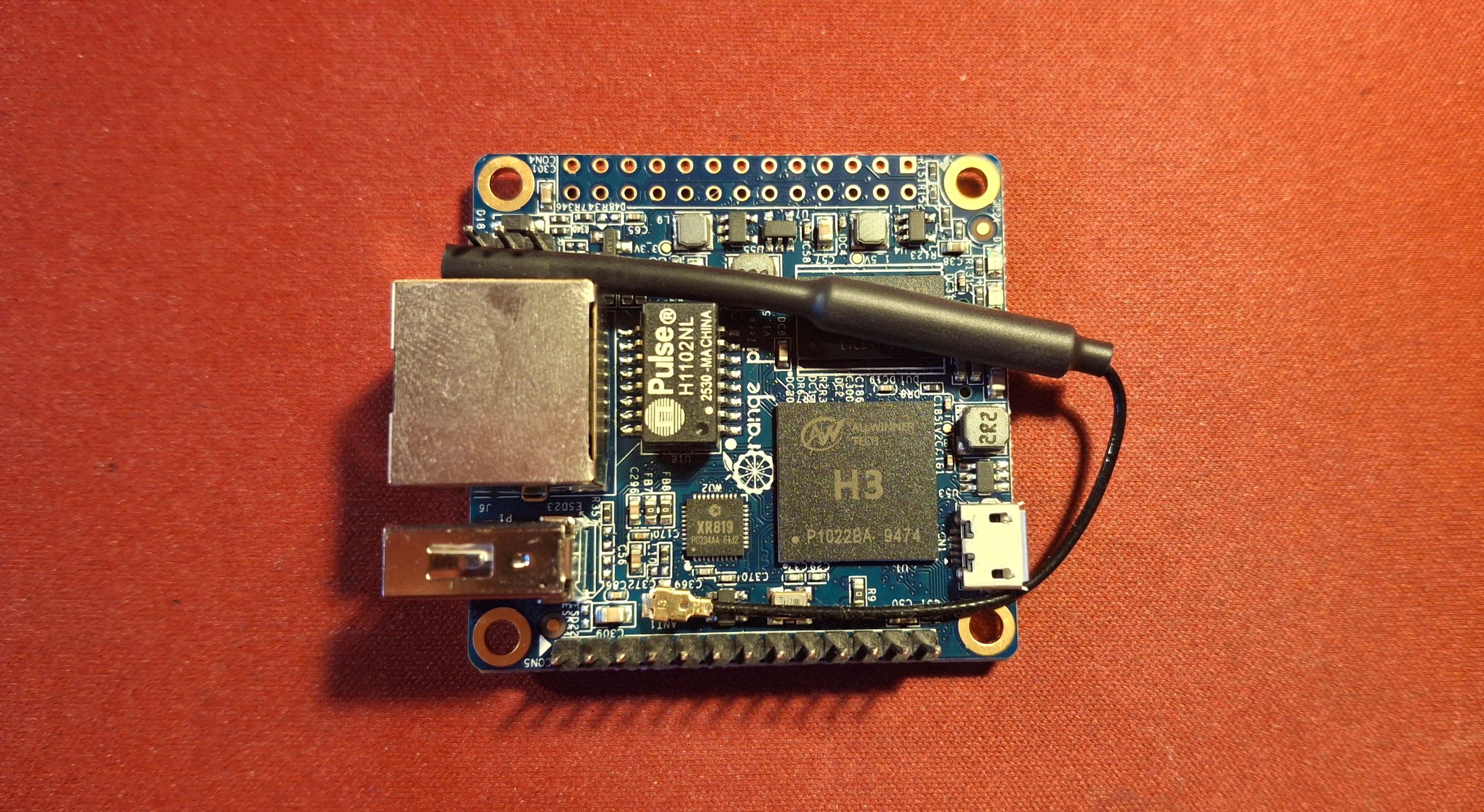
Orange Pi zero with the Allwinner H3 chip
This board is the inspiration for why I wanted to look into my custom design. This board lacks proper 1G ethernet (it has only 100M). It has old usb 2.0 and again usb micro. Even though this board lacks HDMI, the H3 chip supports HD 4K.
Docs: Datasheet V1.2 (Allwinner-authored, EN, register-level, mirrored on linux-sunxi since 2015)
Pros
Mainline Linux since 2015: display, HDMI, Ethernet, USB, and thermal support all mature for years.
A real camera path: 8-bit parallel DVP/BT.656 CSI input works with sensors like the OV5640
Hardware H.265/HEVC and H.264 decode up to 4K@30fps
Cheapest on the list.
Cons
Camera input is parallel DVP only, no MIPI CSI, so most current MIPI-only camera modules need a bridge board first.
The Gigabit MAC needs an external PHY to actually run at 1G.
Allwinner H616
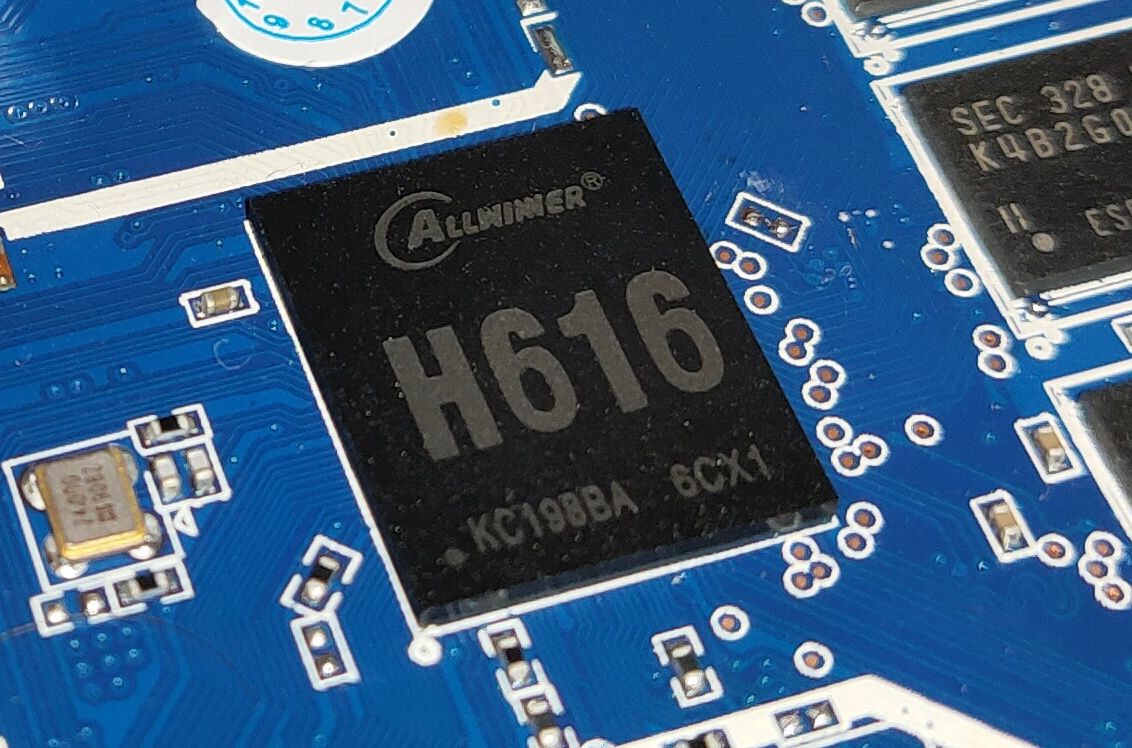
Allwinner H616 chip package
The chip used in the original Orange Pi Zero 2. It’s very similar to the Pi Zero 2 W, and is the only one in the family that you can actually buy on LCSC.
Docs: Datasheet V1.0, User Manual / register TRM (both Allwinner-authored, EN, mirrored on linux-sunxi, never hosted by Allwinner themselves).
Pros
Solid English datasheet, and it's the real Allwinner document which was mirrored by other sites.
Supports DDR3/DDR4 (in this RAM apocalypse it's nice that I can use DDR3)
Mainline Linux since v5.12, genuinely solid by v6.0 (thermal, CPUfreq, audio, DRM/Panfrost all landed), plus mainlined U-Boot.
Actually in stock on LCSC, unlike the rest of this family.
Cons
Hardware design guide is Chinese only, no English version from Allwinner.
All datasheets are mirrored, Allwinner requires login to their portal and maybe something more.
No MIPI CSI or DSI anywhere on the chip, no camera input path at all.
Allwinner H618
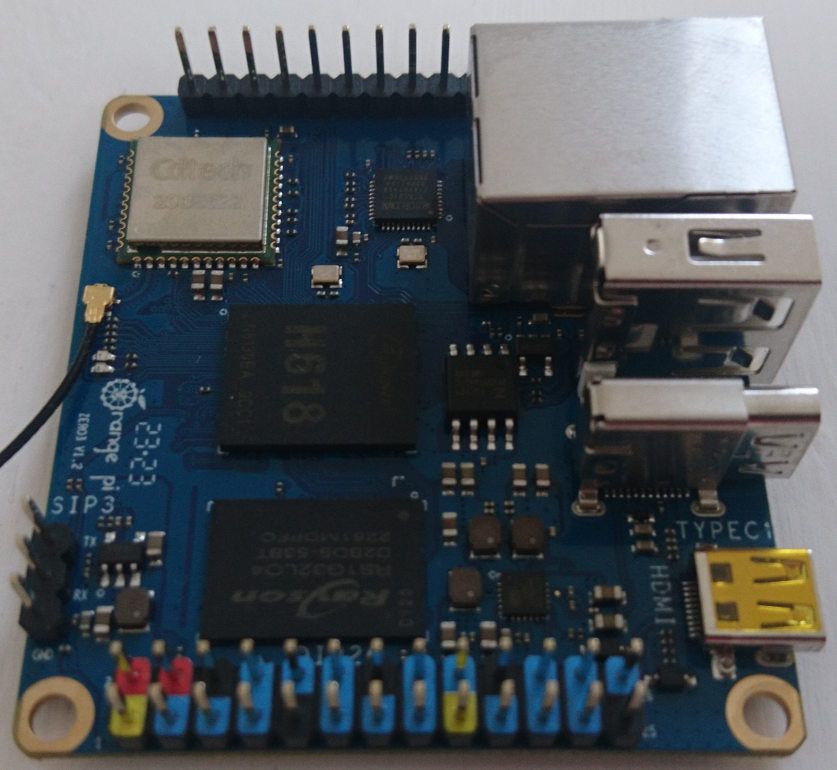
Orange Pi Zero 3, built around the H618. Photo: linux-sunxi.org, CC-BY.
Same die as H616, same everything, just a bigger L2 cache (1MB instead of 512KB). It’s the chip on the flashier “Pi Zero 2 W alternative” boards, but it’s also nowhere to be found on LCSC, which makes it the worse option of the two if you’re actually trying to source parts for a build.
Docs: same H616 datasheet and TRM (Allwinner never split the docs)
Pros
Same open register-level TRM as H616.
Mainline Linux, U-Boot, and TF-A all support H618 specifically, and Armbian explicitly lists Zero 2W, Zero 3, and LonganPi 3H as supported boards.
Cons
Zero stock on LCSC, Mouser, or Digikey. Only shows up already soldered onto finished boards (JLCPCB lists it as assembly-only, "cannot be shipped separately").
Same media limitations as H616: no MIPI CSI/DSI.
Allwinner V3s
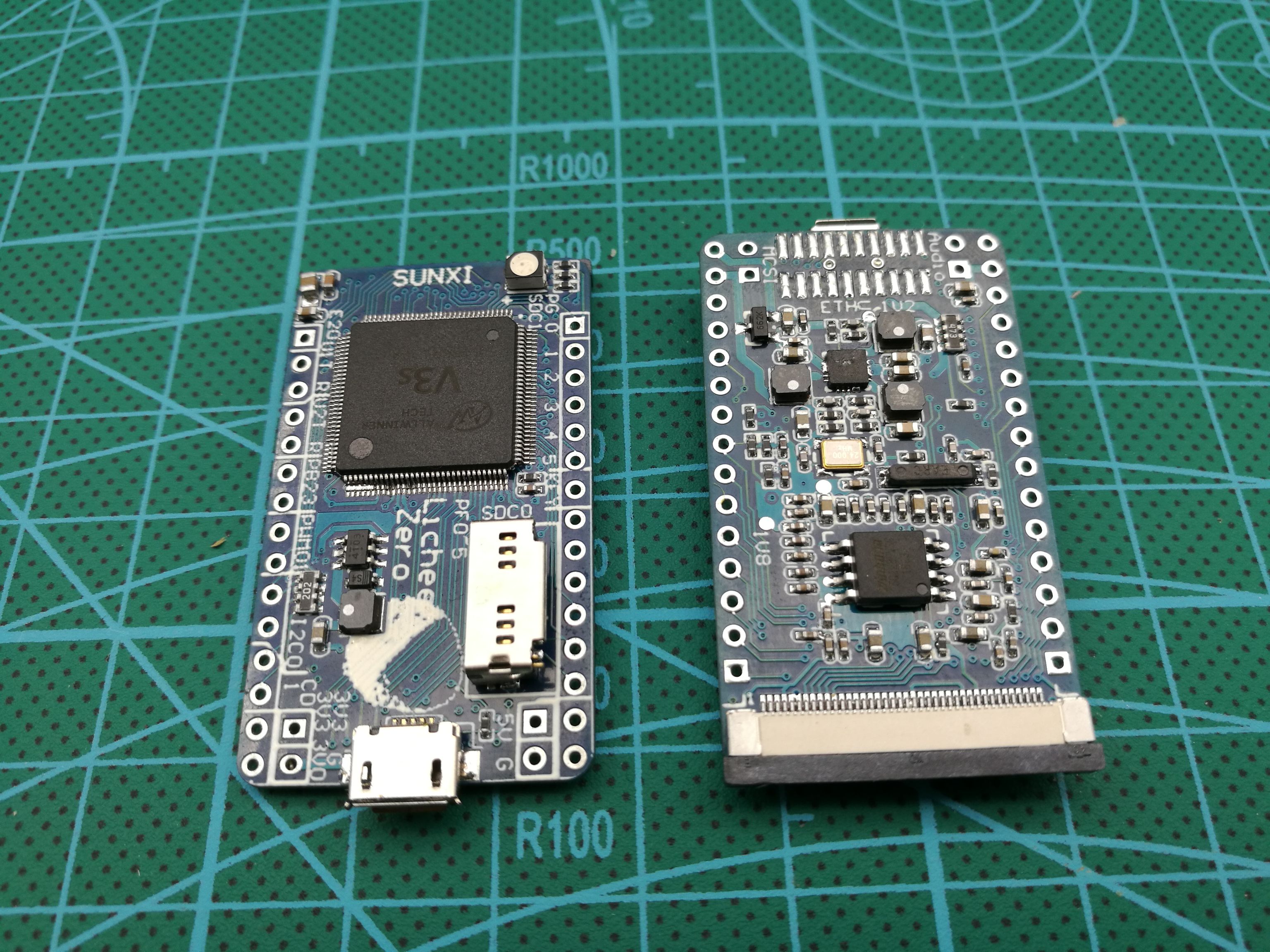
Lichee Pi Zero, built around the V3s. Photo: Zepan/lichee-pi-zero GitHub repo.
Has DRAM baked right into the package. This is the chip behind the Lichee Pi Zero. Realistically it’s an embedded camera/IoT part, not something you’d run a general Linux desktop on.
Docs: Datasheet V1.0 (Allwinner-authored TRM, EN, register-level, freely public), Hardware design guide (community EN translation, the official version is Chinese-only)
Pros
Full register-level TRM is freely public, no login, mirrored on linux-sunxi, Internet Archive, and GitHub.
Both Linux and U-Boot are fully mainlined, and FEL boot-ROM recovery makes it basically unbrickable.
Not a BGA package, hand-solder friendly with flux and hot air.
Cons
Fixed 64MB of RAM, no way to expand it.
Rockchip RK3528 / RK3528A
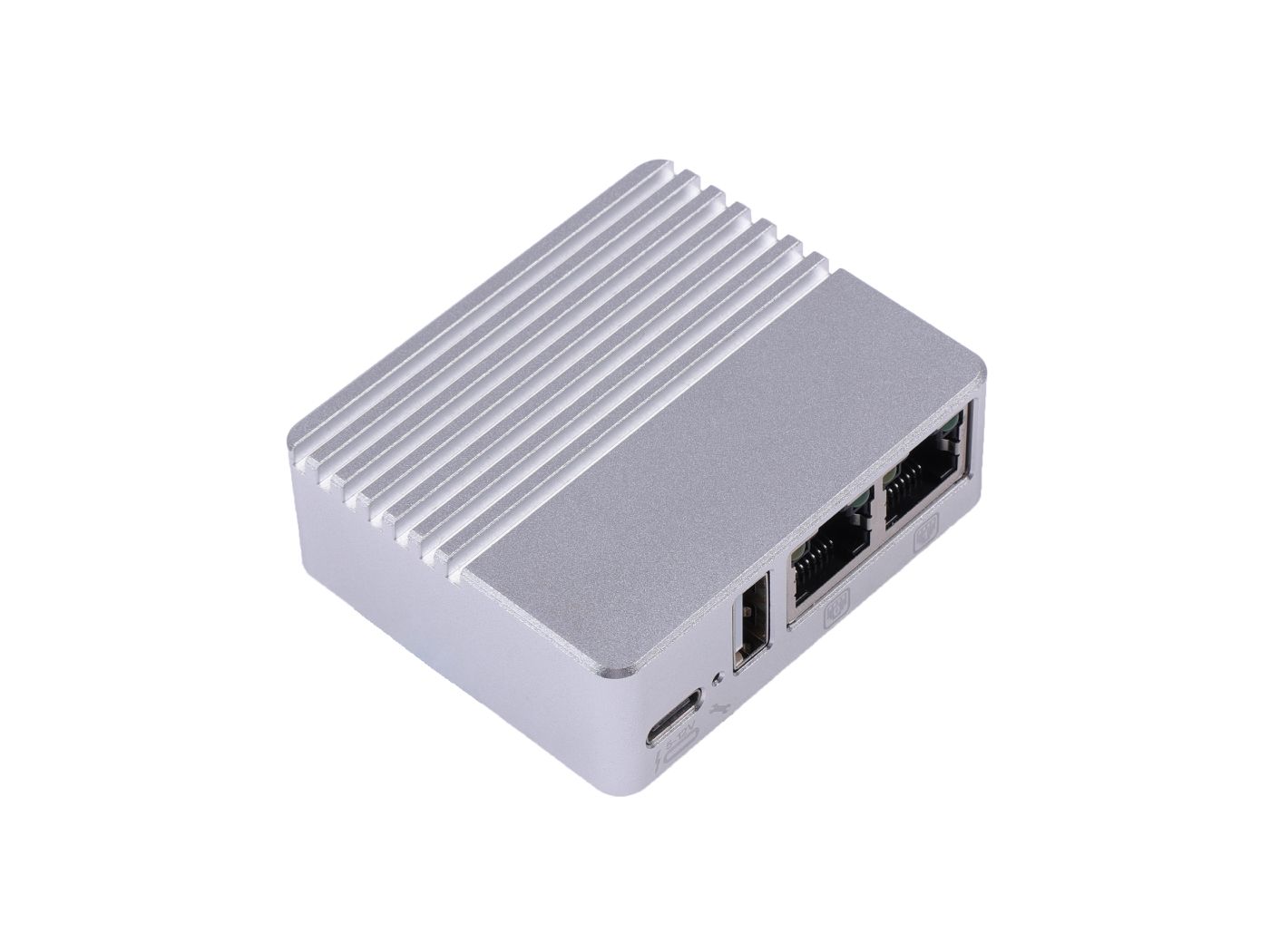
Seeed H28K, built around the RK3528A. Photo: Seeed Studio.
A TV-box chip built around networking, dual Ethernet MACs, optional PCIe, rather than camera or display.
Docs: Datasheet V1.4 (Rockchip-authored, EN, a fuller revision than the early brief one), Hardware design guide is official but Chinese-only, Seeed H28K schematic as a board-level substitute.
Pros
Mainline Linux support, mainline U-Boot in progress alongside it.
Decode covers H.264/H.265/AVS2 up to 4K60.
Best raw CPU score among the sub-$15 Allwinner/Rockchip/Amlogic tier at PassMark 888
Cons
USB3 or PCIe share one PHY (a bit of a con that it's shared, but having a PCIe option at all is good).
Hardware design guide isn't available in English, only the Chinese original and third-party board schematics.
Rockchip RK3566
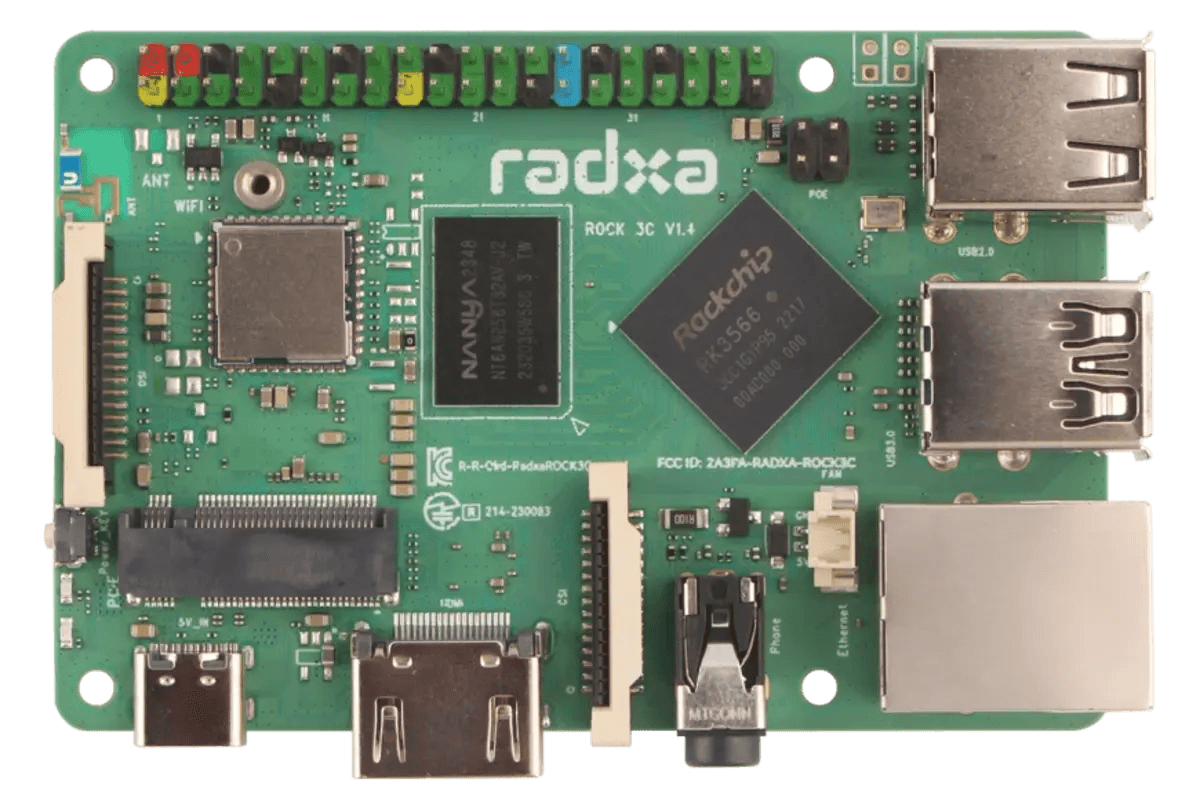
Radxa ROCK 3C, built around the RK3566. Photo: Radxa.
The RK3566 pairs a quad Cortex-A55 CPU with two independent combo PHYs, one runs either PCIe2.1 or SATA3.0, the other either USB3.0 or SATA3.0, so a board can expose a real PCIe slot and a USB3.0 port at the same time instead of having to choose. The ROCK 3C does exactly that: an M.2 PCIe slot, a USB3.0 port, and a proper Gigabit Ethernet jack, everything the Pi Zero 2 lacks.
Docs: Brief Datasheet (Rockchip-authored, EN, block-diagram level, freely public), TRM - Techninal Reference Manual - Part 1 and TRM - Techninal Reference Manual - Part 2 plus an official hardware design guide in English, genuinely good coverage, unlike the RK3528A/RK3562 above and below, Radxa ROCK 3C docs for the board itself.
Pros
Best public documentation of the bunch: generic chip manual, hardware design guide, and even a TRM, all publicly available.
Real PCIe2.1 x1 (M.2 slot on the board) plus a separate USB3.0 host port, on-chip 4K video decoder and 1080p H.264 encoder.
Mainline RK356x Linux support right after launch (CPU, GMAC, USB, PCIe, display).
Mali-G52 runs on the mainline Panfrost driver, no vendor blob needed for basic 3D/2D acceleration.
Cons
Native Ethernet is a GMAC only, still needs an external PHY to actually reach 1G, same limitation as the Allwinner chips.
Rockchip RK3562
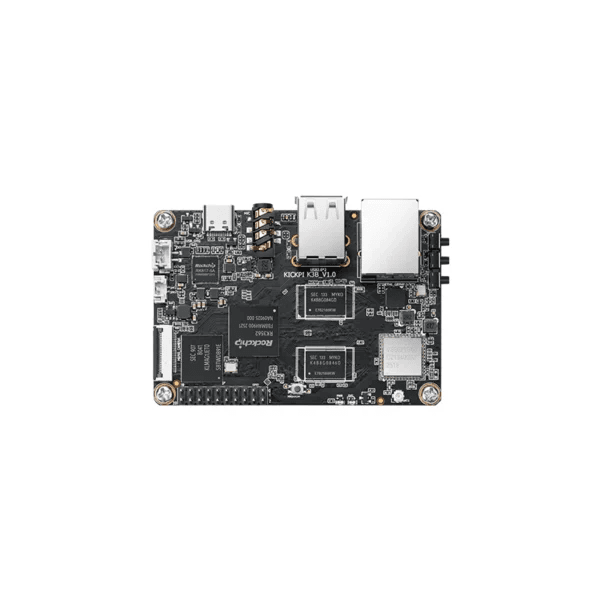
KickPi K3B, built around the RK3562. Photo: KickPi.
The RK3562 is Rockchip’s cheaper quad Cortex-A53 sibling in the same family, with a single-core Mali-G52 GPU and a smaller 4K@30fps decoder instead of the RK3566’s 4K@60. Unlike the RK3566, its PCIe2.1 and USB3.0 Host share a single combo PHY, so a board only gets one or the other, never both. The KickPi K3B is the first RK3562 board to get mainline U-Boot and mainline Linux support merged into Armbian.
Docs: Full Datasheet Rev 1.2 (Rockchip-authored, EN, register-level, mirrored freely on LCSC with no account wall), Armbian build PR #10613 for the actual board bring-up notes.
Pros
Mainline U-Boot and mainline Linux support merged into Armbian (Ethernet, eMMC, SD, USB, DSI display, audio, and Panfrost GPU all confirmed working) with the K3B as the reference board.
Dual MIPI CSI input (2x4 lanes) with a 13M ISP, plus a 1 TOPS NPU, Gigabit Ethernet, and onboard dual-band Wi-Fi/BT on the K3B itself.
Cons
Less raw CPU/GPU performance than the RK3566 above.
PCIe2.1 and USB3.0 Host share a single PHY.
Hardware design guide isn't available in English, same gap as the RK3528A.
TI AM625 (AM6254)
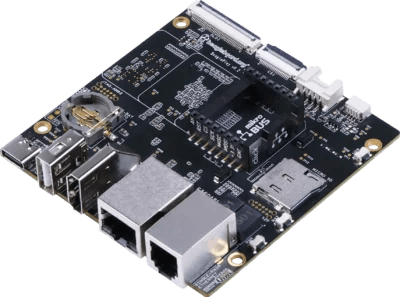
BeaglePlay, built around the AM625. Photo: BeagleBoard.org.
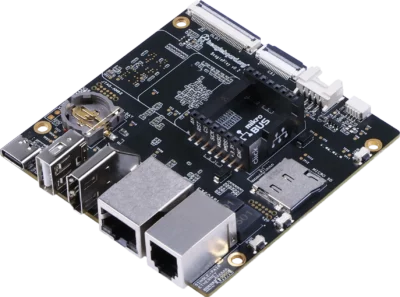
Documentation is fully open and it has a native gigabit switch built in, but there’s no MIPI DSI and no hardware video codec at all.
Docs: Datasheet SPRSP58C, Technical Reference Manual SPRUIV7, Hardware design guide SPRAD05E, all fully public, no NDA, no login, downloaded anonymously over plain HTTPS.
Pros
One of the most openly documented chips on this whole list, no distributor account needed for datasheet.
Native 3-port gigabit switch (CPSW3G) built in, though it still needs an external PHY per port.
Mainline Linux and mainline U-Boot.
Cons
No MIPI DSI on this chip, display out is dual LVDS plus DPI parallel RGB instead.
No dedicated video decode or encode block, just a 3D GPU for composition.
Priciest of the "fully open docs" group at this list's typical quantities.
ST STM32MP157C
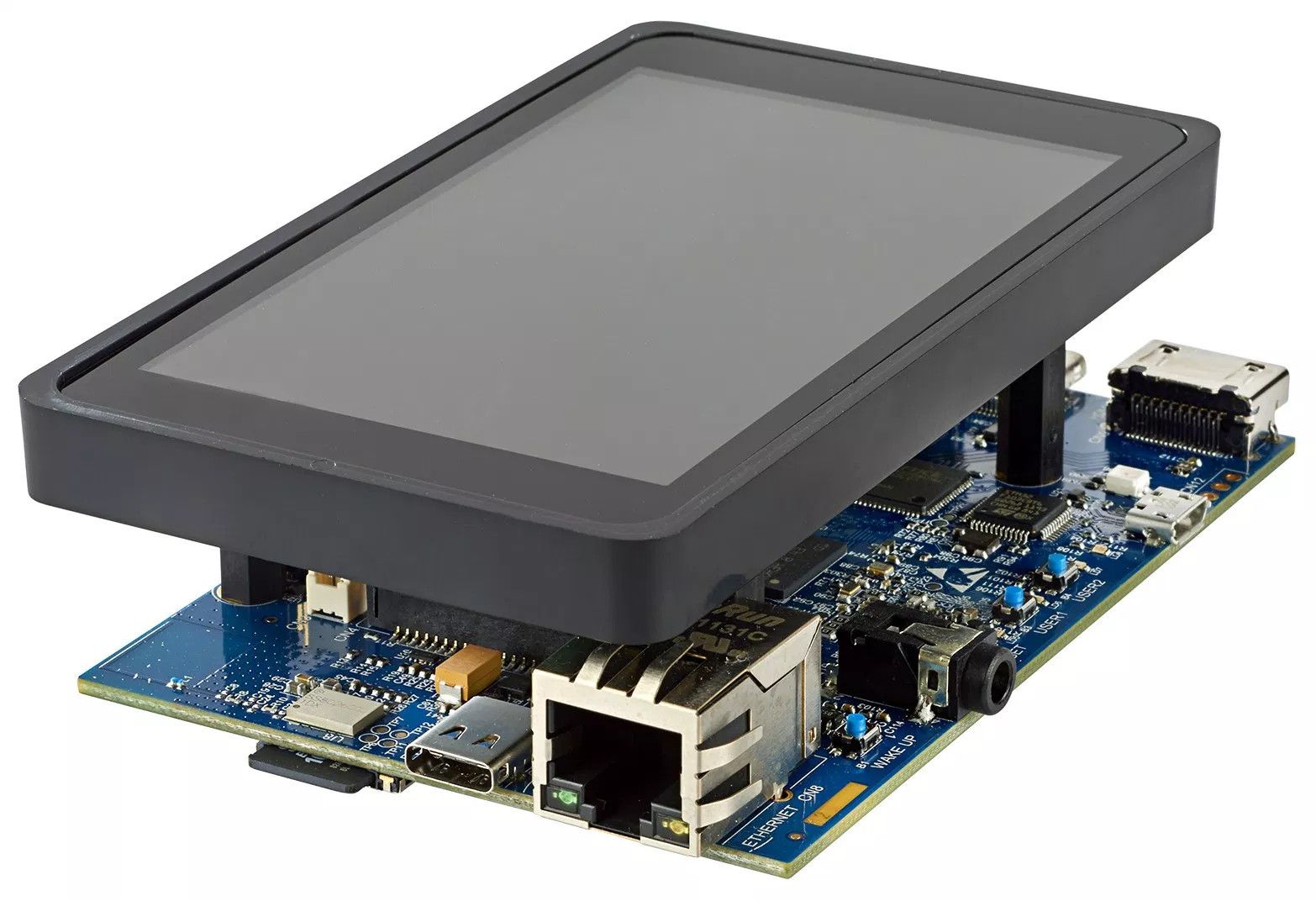
STM32MP157C-DK2 discovery kit. Photo: CNX Software.
Only chip on this list with an actual Raspberry Pi HAT-compatible board (Seeed’s ODYSSEY) and a formally renewed 10-year longevity commitment. Camera input needs an external bridge chip though, and there’s no video codec hardware at all.
Docs: Datasheet DS12505, Reference Manual RM0436 (register-level), Hardware development guide AN5031, fully public, no login anywhere across all 42 documents on ST’s doc index.
Pros
Mainline U-Boot and Linux both confirmed, plus ST's own OpenSTLinux Yocto distribution and a community wiki with 700+ articles.
Display gets a 2-lane MIPI DSI plus LTDC up to WXGA@60 or 1080p@30.
Good documentation.
Cons
Camera is DCMI parallel only (8–14 bit), no native MIPI CSI. A MIPI camera needs ST's own external STMIPID02 bridge chip.
No hardware video decode or encode block anywhere in the datasheet.
Lowest RAM ceiling of the "fully open docs" group, external DDR3(L)/LPDDR2/3 up to 1GB only.
NXP i.MX 8M Mini
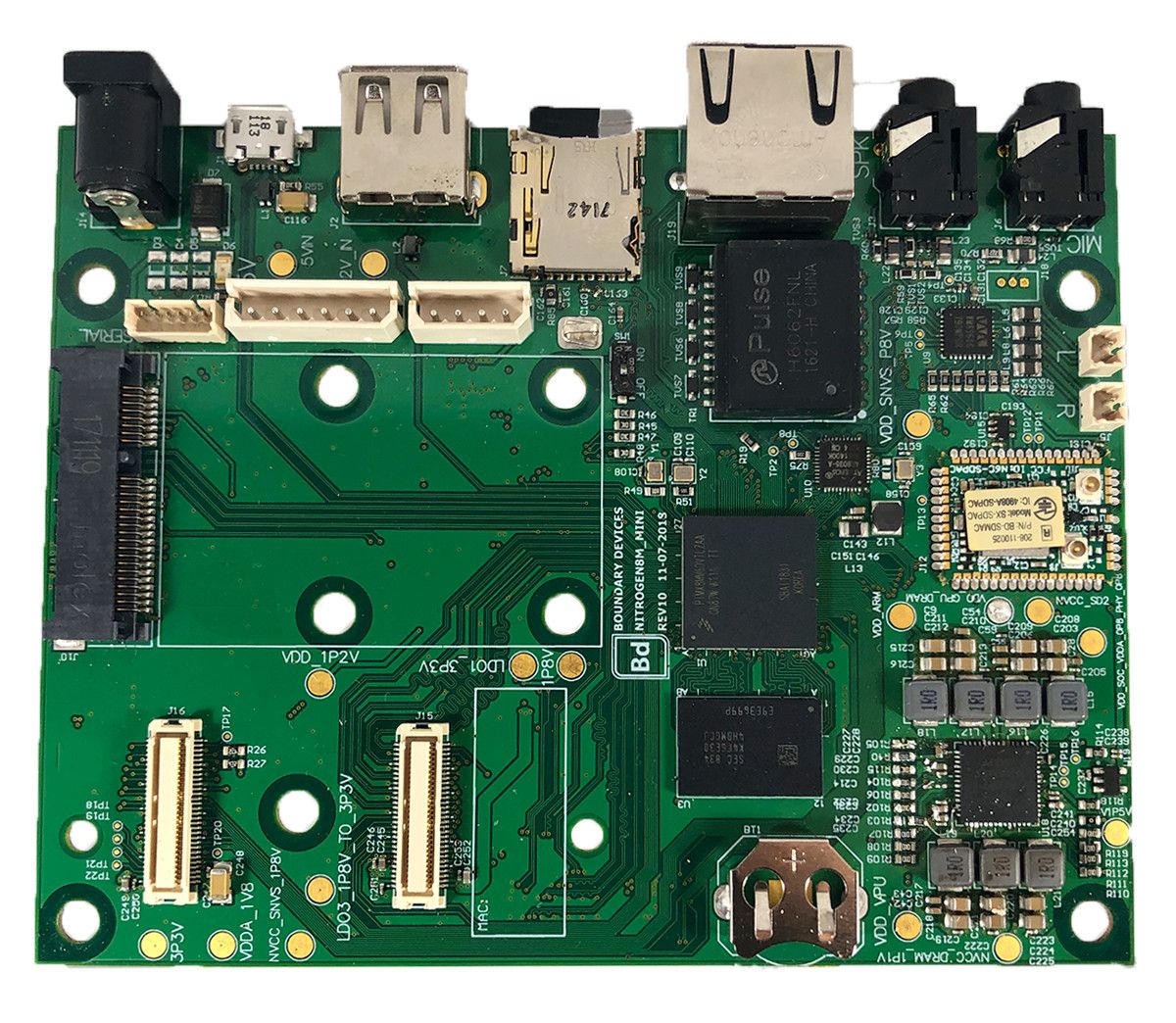
Boundary Devices Nitrogen8M Mini. Photo: CNX Software.
Most complete peripheral set of anything I looked at: camera, display, PCIe, gigabit Ethernet, and real hardware video decode, all present at once, with actual distributor stock behind it. It’s also the most expensive chip on this whole list.
Docs: Datasheet IMX8MMIEC, Reference Manual IMX8MMRM (5319pp register-level), both freely public with no login. The Hardware Developer’s Guide sits behind a free nxp.com account, not a real NDA, just an account wall.
Pros
Best peripheral set on this list.
4-lane MIPI CSI-2 and 4-lane MIPI DSI, both present, plus 1x PCIe Gen2 x1 and a gigabit MAC.
Hardware VPU decodes 1080p60 H.265/H.264/VP8/VP9(10-bit).
Mainline Linux with dozens of vendor board device trees already upstream, plus mainline U-Boot.
Cons
Priciest chip on this list.
Hardware Developer's Guide needs a free-account login.
Encode is 1080p60 H.264/VP8 only, no HEVC/VP9 encode, and no 4K anywhere (that's an i.MX 8M Plus thing).
NXP i.MX 8M Nano
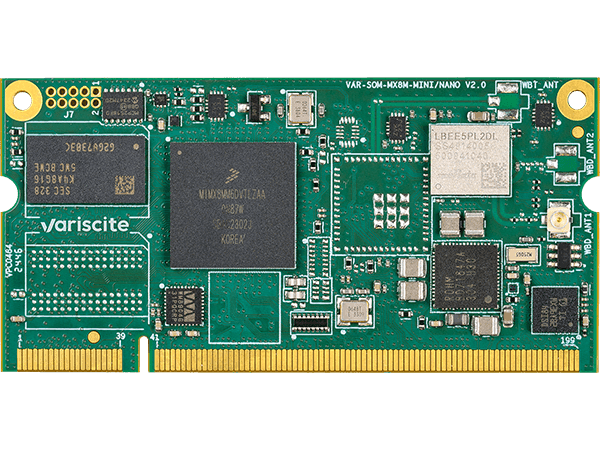
Variscite VAR-SOM-MX8M-NANO. Photo: Variscite.

The Mini’s cost-reduced sibling. Same camera and display MIPI interfaces, but PCIe was removed, and so is all hardware video decode and encode.
Docs: Datasheet IMX8MNCEC, Reference Manual IMX8MNRM, both freely public, no login, verified live (goes against the usual assumption that NXP reference manuals need an account). Hardware Developer’s Guide is still behind the free-account wall.
Pros
4-lane MIPI CSI and 4-lane MIPI DSI.
Mainline Linux and mainline U-Boot.
Cons
No PCIe, dropped versus the Mini.
Kinda expensive.
Conclusion
Everyone has different requirements. Mine are that it’s cheap and that I can have a good enough datasheet, especially since this is my first rodeo.
Chips from TI and ST are professional and have good documentation, but the chip alone is very expensive. Rockchip RK3566 is cheaper, and it has very good and detailed documentation in English, but the design is more advanced than what I need for the projects I plan to use it for. Allwinner H618 is unfortunately not in stock, but the Allwinner H616 is. The H616 has decent documentation. I will just need to clean up the hardware design guide and translate it.
In the end I will use the Allwinner H616. It’s one of the cheaper chips, it has usable docs, and it supports DDR3 RAM. For the project after this one, I will use the RK3566 once I’ve gained experience from the H616.