Altera Max II - USB Blaster
Programming Altera Max II CPLD and dealing with a faulty programmer, which doesn't work and always shows the message "Unable to read device chain - Hardware not attached"
This will be a background of the things I have tried to make the programmer work.
I bought an Altera Max II and a USB Blaster.
I have a clone programmer which is based on a CH552G MCU.
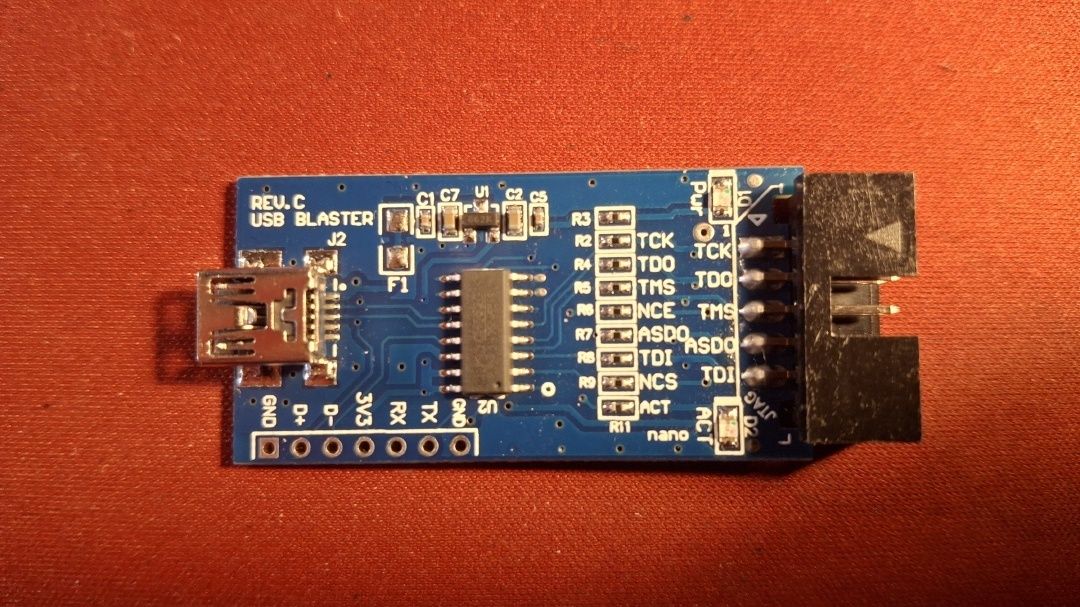
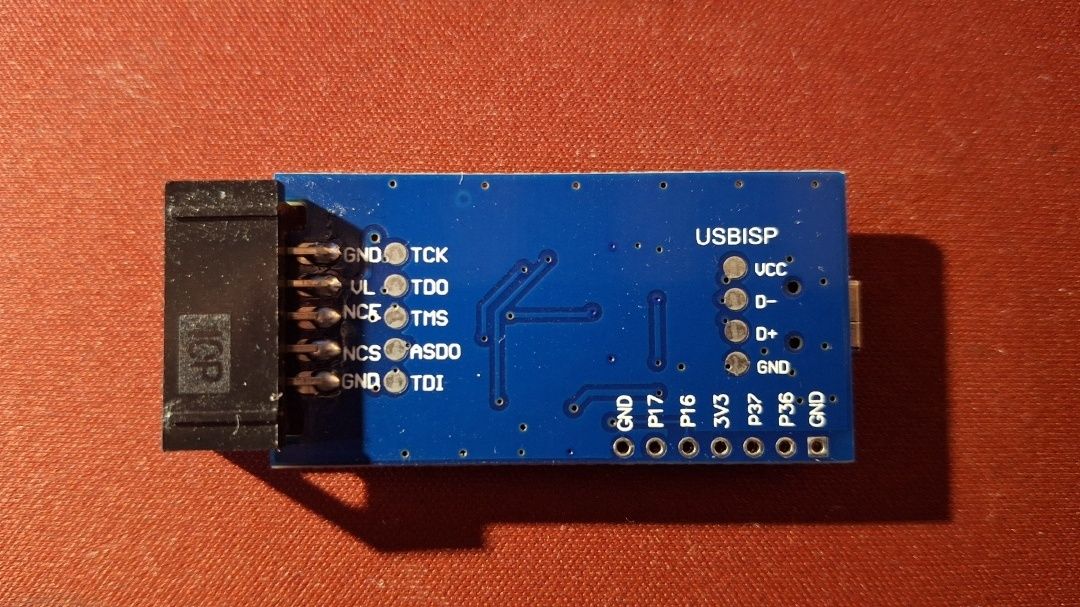
In Quartus, when I wanted to program it, the programmer always seemed frozen and nothing happened.
When I tried it manually via jtagconfig, I got the error message “Hardware not attached”.
$ jtagconfig
1) USB-Blaster [5-1.3]
  Unable to read device chain - Hardware not attached
Then I went down the rabbit hole. I:
- tried all possible power-up sequences
- tried to make my own ribbon cable
- validated that the ribbon cable had the correct pinout
- manually connected all the needed connections
- probed all the lines with an oscilloscope
Nothing worked, so I went even deeper. I found this repo which implemented USB Blaster on a Pico: https://github.com/thisiseth/pico-usb-blaster/tree/main Unfortunately, I didn’t have a Pico.
I found that ESP-S3 also supports TinyUSB, so I started to make my own version. Short version: this also didn’t work.
I was ready to just buy a new Altera Max II board and a new programmer. Below one programmer that looked promising (because it had more than one IC, not just the MCU), I read the comments: two were 1-star and the third was 5-star, which mentioned the GitHub repo dougg3/ch55x-usb-blaster. From my rabbit hole of searching for a solution I remembered it, but earlier I didn’t want to try it because I believed I was just doing something wrong, not that the problem was the firmware itself. At that point I didn’t have any options, and either way I would still be buying one, so I couldn’t lose anything.
Repo: https://github.com/dougg3/CH55x-USB-Blaster The blog post: https://www.downtowndougbrown.com/2024/06/fixing-a-knockoff-altera-usb-blaster-that-never-worked/
I cloned the repo, installed sdcc, and then installed ch55xtool. After the successful build stage I put it into bootloader mode by first connecting D+ and 3.3 V on the programmer board and then connecting the USB cable.
The output of lsusb was promising; I saw the device WinChipHead instead of Altera Blaster:
$ lsusb
Bus 001 Device 010: ID 4348:55e0 WinChipHead
Unfortunately, it still didn’t work. But I didn’t lose hope because I have a lot of experience with USB not working because of Linux permissions.
$ ch55xtool -f usb_blaster.bin
Failed to get device, please check your libusb installation.
So I installed ch55xtool for root:
sudo python3 -mpip install --break-system-packages ch55xtool
And then I ran it with sudo:
$ sudo /usr/bin/ch55xtool -f usb_blaster.bin
Found CH552 with SubId:17
BTVER:02.50
UID:0B-26-00-00-00-00-00-00
Erasing chip flash. Done.
Flashing chip. Done.
Finalize communication. Done.
And yes, this time it worked.
And the output of jtagconfig?
$ jtagconfig
1) USB-Blaster [1-2]
  020A10DD   EPM240
Yes, it works. Finally.